FilesToolkit
Powerful Mac File Management Right-Click Tools
Boost productivity on macOS with FilesToolkit. Rename, compress, convert images, manage PDFs, and organize files instantly from your Finder right-click menu.
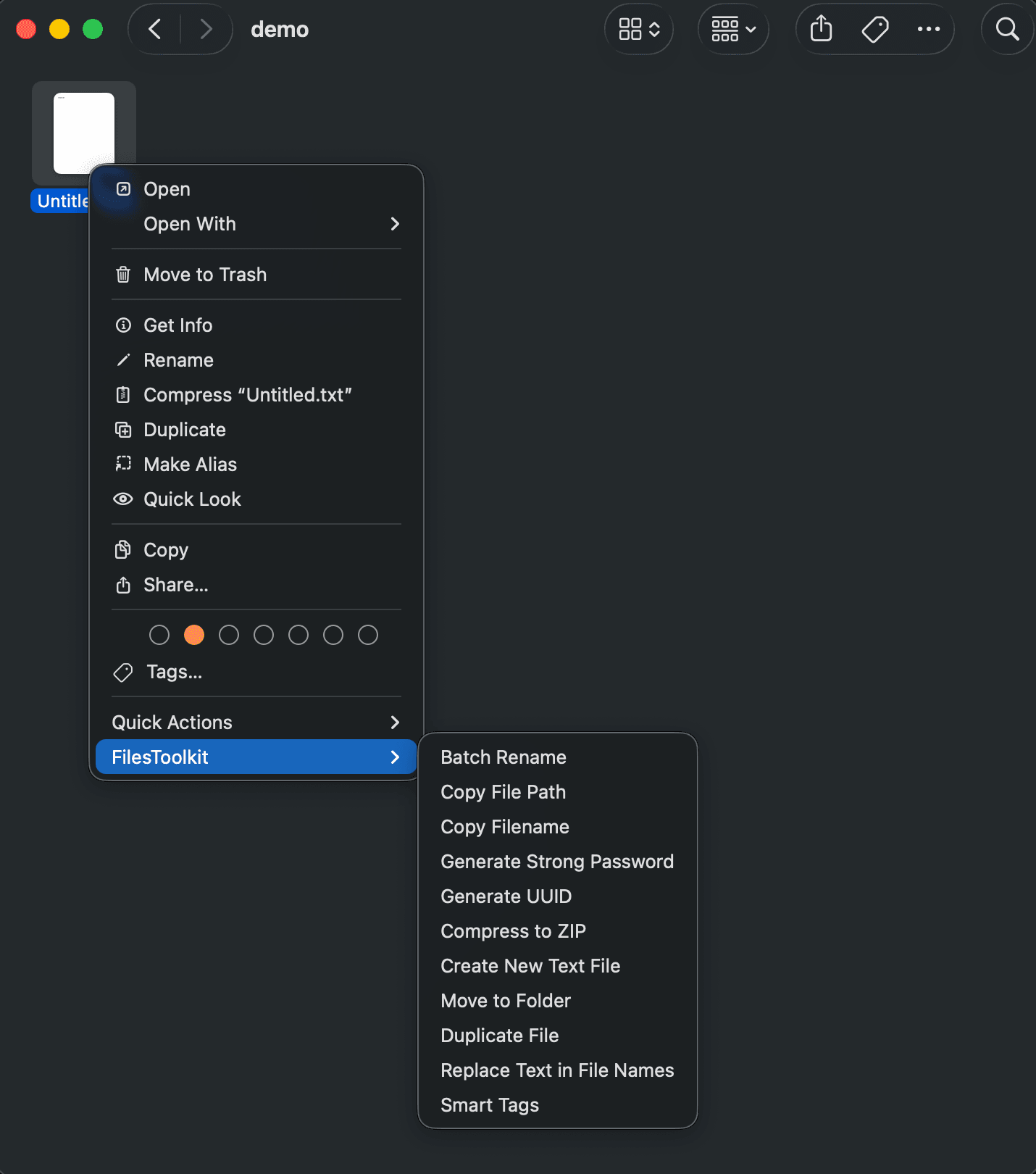
All the tools you need,
right where you work.
Stop switching between apps. FilesToolkit adds powerful file management capabilities directly to your Finder right-click menu.
Batch Rename
Rename hundreds of files in seconds with powerful patterns, sequences, and regex support.
Smart Compression
Create highly compressed ZIP and 7Z archives. Strip macOS system files for cleaner sharing.
PDF Power Tools
Merge, split, compress, and convert PDFs without opening heavy applications.
Image Converter
Convert images between formats (PNG, JPG, WebP, HEIC) and resize them instantly.
File Organizer
Automatically organize files into folders based on type, date, or custom rules.
Quick Actions
Checksum generation, hidden file toggle, and path copying right in your context menu.
Perfect for
Designers & Developers
- Batch Rename Assets
Organize thousands of design exports with one click. Use patterns like sequence, prefix, or regex.
- Image Conversion
Convert HEIC from iPhone or WebP from web instantly to PNG or JPG for your projects.
- Smart ZIP Archives
Share projects without .DS_Store or __MACOSX folders. Cleaner, smaller, better.
Simple, Transparent Pricing
Choose the plan that fits your workflow. No subscriptions, just a one-time purchase.
Free
Essential tools for occasional file management.
- Basic Batch Rename
- Standard ZIP Compression
- Image Format Conversion
- Path Copying Tools
Premium
The full toolkit for power users who want maximum efficiency.
- Advanced Regex Renaming
- PDF Merge & Split
- HEIC to WebP/JPG
- Custom Organization Rules
- Checksum Tools
- Priority Support
Loved by Mac Power Users
"FilesToolkit saved me hours of manual work. Converting HEIC to JPG and renaming assets is now a split-second task."
Sarah Jenkins
Graphic Designer
"The regex renaming and smart compression are indispensable. It's the file manager macOS should have had out of the box."
Michael Chen
Software Engineer
Frequently Asked Questions
Everything you need to know about FilesToolkit.
Ready to supercharge your
macOS workflow?
Join thousands of users who manage files faster than ever. Download FilesToolkit today.
Compatible with macOS 12.0 and later